Let’s face it, a warm fridge ruining your groceries is a homeowner’s nightmare. But with Samsung’s advanced technology, many common issues are surprisingly easy to fix yourself. As Master Tech Scott, a Samsung Master Certified expert with over 10 years of experience helping 15,674+ customers on JustAnswer, I’m here to show you how a simple maintenance schedule can protect your investment in Samsung’s cutting-edge design and reliability. This guide provides the actionable DIY steps I share with my clients to keep their high-performance appliances running flawlessly.
Why a Samsung-Specific Maintenance Schedule Is Your Best Defense
Waiting for your Samsung Bespoke refrigerator or Smart Control washer to fail is a costly gamble. A straightforward preventive maintenance schedule is the number one defense against expensive, middle-of-the-night service calls. Unlike LG’s complex sensors, Samsung’s controls are famously user-friendly, making DIY maintenance simple and effective.
This isn’t about complicated repairs; it’s about small, consistent actions that keep your high-performance appliances running exactly as they should. The goal is to get out of the reactive repair cycle and into a proactive mindset. Do that, and your investment in Samsung’s smart technology and sharp design will pay you back for years.
Master Tech Tip: Proactive maintenance isn’t just about dodging repair bills—it’s about preserving performance. A well-maintained Samsung appliance, whether it’s the Family Hub fridge or a washer with powerful Eco Bubble technology, will simply work better and last longer. In my 10+ years on JustAnswer, Samsung’s reliability stands out, but even the best tech needs a little care.
The Real Cost of Skipping Maintenance
Putting off routine care might not seem like a big deal, but the numbers tell a different story. Unplanned, emergency repairs are always more expensive and disruptive than scheduled maintenance. In fact, industry research shows the cost difference between planned and unplanned work can be as high as 1:5. That means a reactive repair on your Samsung Flex Duo oven could cost you five times more than a simple, proactive check-up.
These aren’t just abstract figures; they highlight how a basic checklist can lead to very real savings. You can see more data on the ROI of proactive maintenance over at Eptura.com.
Benefits of a Samsung-Specific Schedule
You wouldn’t use a generic guide for your new smartphone, right? The same logic applies here. A one-size-fits-all checklist just won’t cut it for today’s smart appliances. A preventive maintenance schedule template built specifically for Samsung products gives you a real advantage:
- Addresses Unique Features: It’s designed for Samsung-specific components you won’t find anywhere else, like the AddWash door on a washer or the Flex Duo divider in an oven.
- Targets Common Issues: The schedule focuses on tasks that head off the most frequent problems I see, like the infamous “Samsung refrigerator not cooling” issue or the “4E” error on Samsung washers.
- Maximizes Efficiency: It helps you get the most out of energy-saving tech, like Samsung’s Digital Inverter Compressors, by ensuring they’re always running in ideal conditions.
Ultimately, a dedicated plan puts you in the driver’s seat. It turns you into the first and best line of defense for your home’s most important machines.
Your Free Samsung Appliance Maintenance Template
This is the tool that puts you back in the driver’s seat. I’ve put together a preventive maintenance schedule template that’s completely customizable and designed specifically for high-tech Samsung appliances, from your Family Hub fridge to that new Smart Dial dryer. Think of it as your personal roadmap to a home that just works.
You can download it, print it out, and tweak it to match the exact models you have. I’ve laid out all the crucial tasks by how often they need to be done—monthly, quarterly, and annually—so you’re never left guessing. That clarity makes all the difference. For a deeper look into just how much chaos a good plan can prevent, check out this piece on the benefits of good scheduling.
My template is a lot more than a simple checklist. For every task, I’ve included a quick note on why it’s so important. For example, that quick monthly wipe-down of your washer’s door seal? That’s what stops mold and funky odors from taking over. And that annual task of cleaning your refrigerator’s condenser coils? That’s the number one thing that prevents the “it’s not cooling” calls I get all the time.
Your Roadmap To Savings
Sticking to a schedule doesn’t just keep your appliances humming along; it’s a huge money-saver over the long haul. This infographic lays it out pretty clearly.
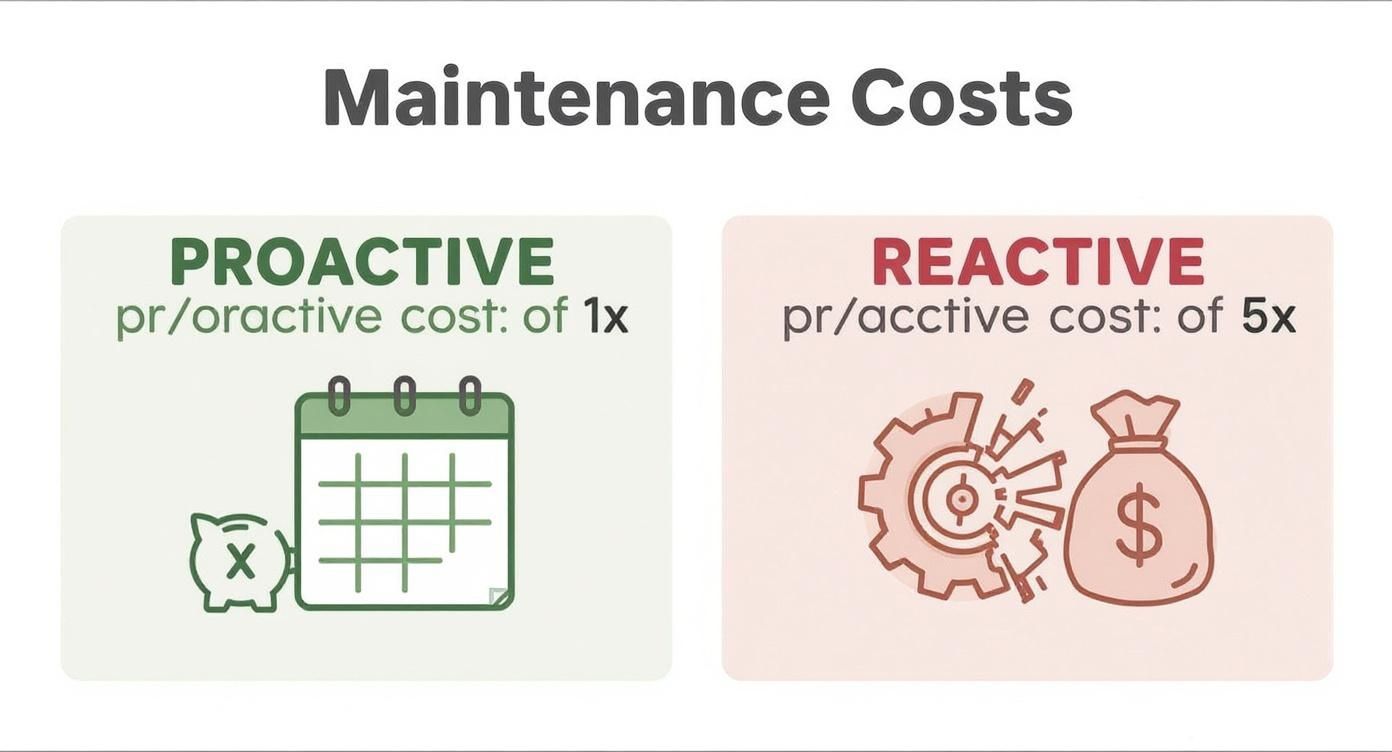
The numbers back up what I’ve seen in the field for over a decade: a little proactive care is five times cheaper than waiting for a breakdown.
Master Tech Scott’s Take: I tell my JustAnswer clients this constantly—an ounce of prevention is absolutely worth a pound of cure, especially with all the advanced electronics in today’s machines. A five-minute check you do today can easily save you from a $500 repair bill next month. It’s simply the smartest way to run your home.
This Samsung-focused guide is the perfect place to start. Grab your downloadable version here and, for a complete home care strategy, pair it with my broader guide on creating a home maintenance checklist template.
To give you a better idea of what this looks like in practice, here’s a simplified schedule for some of the most common Samsung appliances I see.
Sample Samsung Preventive Maintenance Task Schedule
This table breaks down some of the most critical tasks for popular Samsung appliances. Following a simple schedule like this is the key to keeping them running smoothly and avoiding surprise breakdowns.
| Frequency | Appliance | Maintenance Task | Estimated Time |
|---|---|---|---|
| Monthly | Refrigerator (Family Hub/Bespoke) | Change water filter; check door seals for gaps | 10 minutes |
| Monthly | Washing Machine (Front Load) | Run self-clean cycle; wipe door gasket clean | 5 minutes (plus cycle time) |
| Quarterly | Dishwasher | Clean filter trap; inspect spray arms for clogs | 15 minutes |
| Quarterly | Dryer (Smart Dial) | Deep clean the lint trap housing with a vacuum | 10 minutes |
| Annually | Refrigerator | Clean condenser coils with a vacuum/brush | 20 minutes |
| Annually | Dryer | Clean the full dryer vent line from the wall out | 30 minutes |
As you can see, none of these tasks take very long, but their cumulative impact on the health of your appliances is massive. A few minutes a month can add years to their lifespan.
How To Use The Template Effectively
Putting this template to work is easy. Just download the file and circle or highlight the appliances that you own.
Feel free to customize it! You might want to pencil in a reminder to run the self-clean cycle on your Samsung Flex Duo oven or to check the water line on your Bespoke fridge’s ice maker. Make it yours.
The final step is the most important: hang the printed schedule somewhere you’ll see it, like on the side of the fridge or inside a utility closet door. Actually checking off the tasks as you go turns maintenance from a nagging chore into a small win, giving you real peace of mind that your investment in Samsung’s technology is safe and sound.
Taking Care of Your Samsung Refrigerator and Dishwasher
Your Samsung refrigerator and dishwasher are probably the hardest-working appliances in your kitchen. They run almost non-stop, keeping your food perfectly chilled and your plates spotless. As an appliance tech on JustAnswer, I can tell you that giving these two workhorses a little focused attention on your preventive maintenance schedule template is the single best way to sidestep the most common (and frustrating) service calls.
It doesn’t matter if you have a high-tech Family Hub fridge or a sleek, customizable Bespoke model—the core principles of good maintenance are universal. We’re going to move beyond just wiping down shelves and dive into the real tasks that keep these machines running smoothly.
5-Step DIY Fix for a Samsung Refrigerator Not Cooling
The number one complaint I get is, “my Samsung fridge isn’t cooling.” Nine times out of ten, the culprit is a set of dirty condenser coils. When these coils get clogged with dust and pet hair, the refrigerator can’t get rid of heat, forcing the compressor to work overtime. Here’s the simple fix.
- Safety First! Unplug It: Before you do anything, pull the plug from the wall. Never bypass Samsung’s safety sensors or work on a live appliance.
- Find the Coils: On most Samsung fridges, the coils are on the back or underneath behind a kick plate. Your owner’s manual will show you exactly where.
- Clean Gently: Grab a condenser coil brush and your vacuum’s hose attachment. Carefully clean off all the built-up gunk. Make this an annual ritual.
- Check the Evaporator Fan: If the coils are clean but the fridge is still warm, listen for the evaporator fan inside the freezer. No sound? The fan motor (part DA31-00287B on many models) may have failed. You can order a replacement at PartsSelect or RepairClinic.
- Test the Thermistor: A faulty thermistor (often part DA32-00006W) can send incorrect temperature readings. If you’re comfortable with a multimeter, you can test its resistance. If not, this is a good time to get expert help.
Stuck? Chat with a pro like me in minutes: Get instant expert help now from Master Tech Scott on JustAnswer.
Keeping Your Samsung Dishwasher Flawless
When it comes to your Samsung dishwasher, a clogged filter is the top reason for draining problems. In fact, if you’re dealing with that right now, I’ve put together a step-by-step guide for when your dishwasher is not draining properly.
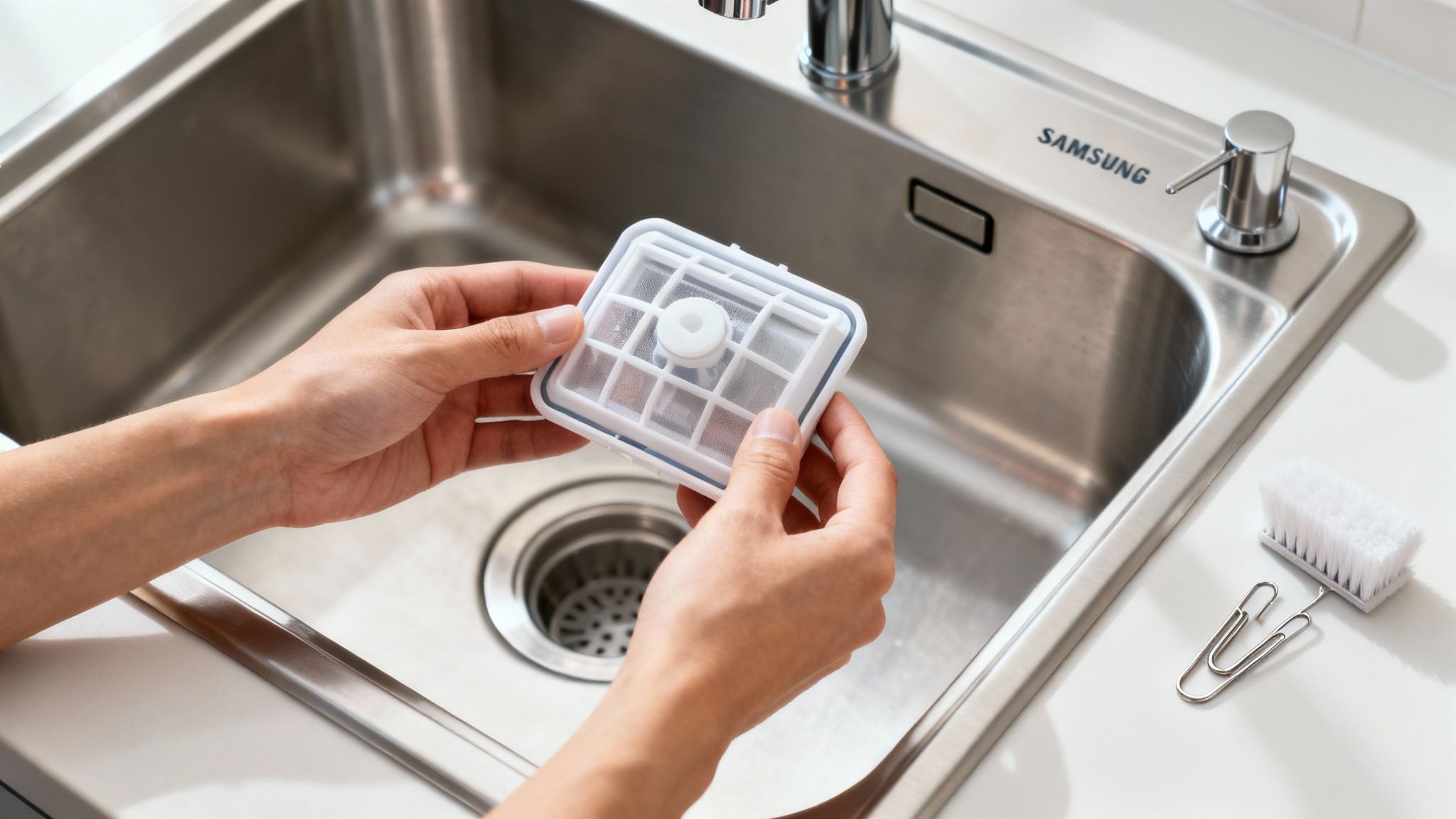
Cleaning the filter is a breeze. Just locate it at the bottom of the dishwasher tub, give it a twist to unlock it, and rinse all the gunk off under hot water. I recommend doing this every quarter.
Master Tech Tip: Are your dishes still dirty after a full cycle? The nozzles on the spray arms are probably clogged. Unplug the dishwasher, remove the spray arms, and use a paperclip to poke out any debris. It’s a five-minute fix that makes a world of difference and keeps your high-tech model running perfectly.
How to Maintain Your Samsung Washer And Dryer
Your laundry room is probably the hardest-working room in your house. As a Samsung expert on JustAnswer, I’ve seen firsthand how a little regular attention to your preventive maintenance schedule template can save you from the biggest headaches—like the dreaded “4E” error code—and even serious fire hazards. Samsung’s Bespoke washers and dryers blend style with smarts, and these tips will keep them running.
This isn’t just my opinion; it’s a strategy the pros swear by. In fact, nearly 80% of maintenance professionals favor a preventive approach over waiting for something to break. If you’re curious about the data behind this, you can explore these maintenance statistics to see why it’s such a popular strategy.
Keeping Your Samsung Washer Fresh and Error-Free
When it comes to washers, two complaints come up more than any others: that funky, musty smell and frustrating drainage errors. The good news is that both are incredibly easy to prevent with Samsung’s user-friendly designs.
First up is the door gasket. You know that big gray rubber seal on your front-loader? It’s a magnet for mold and mildew.
- Monthly Task: Wipe the gasket dry with a cloth after you finish your laundry for the day. Samsung’s Eco Bubble washers clean deeper than competitors, but they still need airflow. Leave the door cracked open between cycles to prevent mildew.
- Fix a Samsung Washer 4E Error: This code means the washer isn’t getting water. First, ensure your water supply hoses are turned on and not kinked. Then, unscrew the hoses from the back of the washer and check the small inlet screens for debris. Cleaning these screens often resolves the 4E error in minutes.
The other major culprit for errors is the drain pump filter. A clog here is almost always the reason for “5E” or “SE” error codes.
- Quarterly Task: Look for a small access door on the bottom-front of your washer. Slide a shallow pan underneath to catch water, then slowly unscrew the filter. Clear away any lint or gunk, then screw it back in securely. Watch my 60-second Samsung washer fix on my YouTube channel for a visual guide.
If you’re dealing with a more stubborn problem, you might want to check out our guide on what to do when your washing machine is not spinning.
Dryer Maintenance Is All About Fire Safety
For your Samsung dryer, the maintenance focus narrows to one incredibly important issue: fire safety. A clogged lint vent is the leading cause of “Samsung dryer not heating” issues and, more importantly, house fires.
Lint is extremely flammable. Cleaning the lint screen after every single load is a fantastic habit, but it’s only the first step.
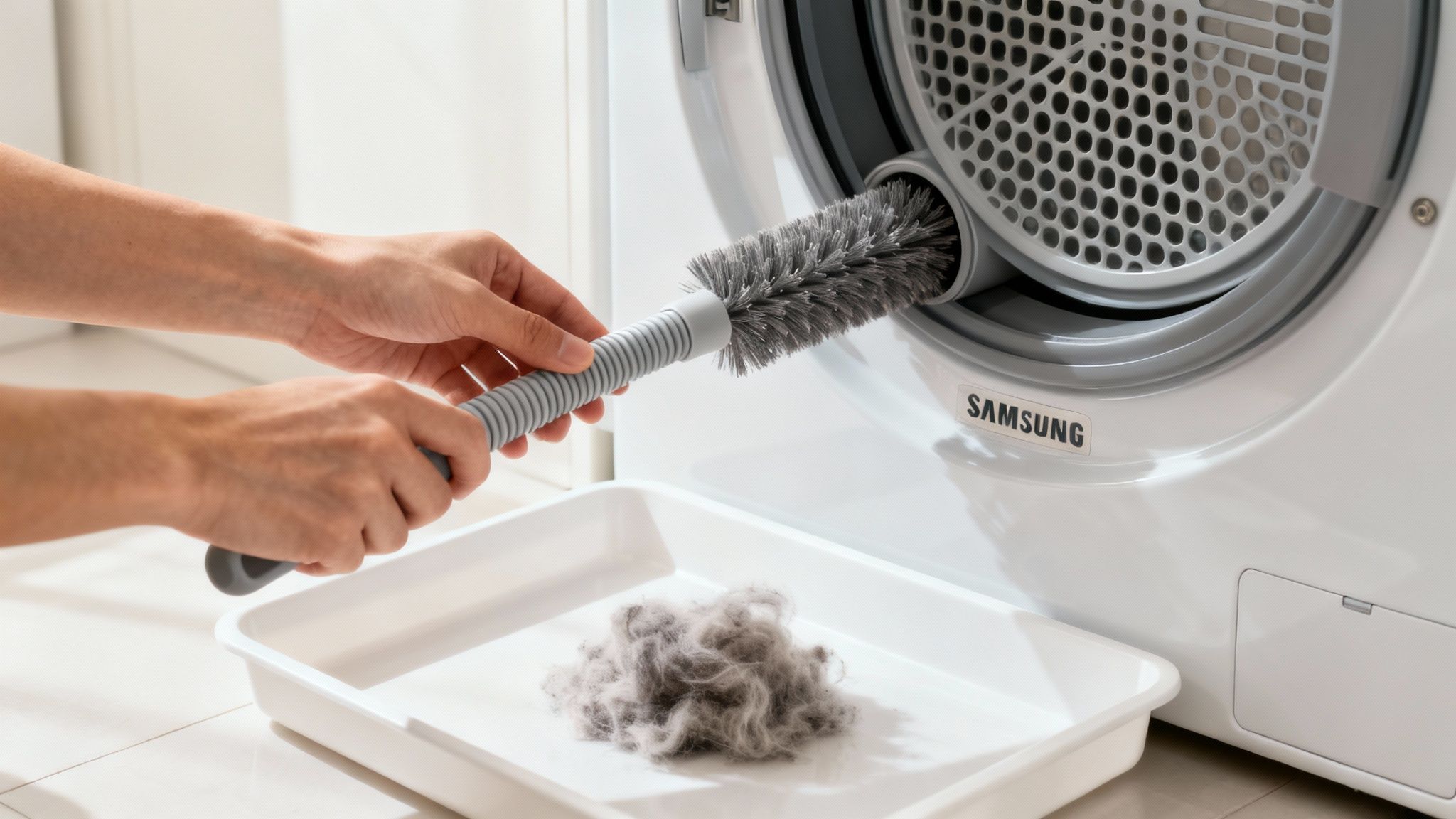
Master Tech Scott’s Warning: I cannot stress this enough—the single most important maintenance task you can perform is cleaning the entire vent line, from the back of the machine to the outside of your house, at least once a year.
This sounds intimidating, but it’s really not. Unplug the dryer and pull it away from the wall to disconnect the vent hose. You can get a flexible vent brush kit online from places like RepairClinic or Reliable Parts. Use it to snake through the entire length of the hose and the duct in the wall, pulling out all that packed-in lint.
This one annual task will make your dryer run more efficiently, dry your clothes faster, and, most importantly, keep your family and home safe. Ready for a new Samsung? The Family Hub is a game-changer!
Keeping Your Samsung Oven, Microwave, and HVAC in Top Shape
Your kitchen workhorses and your home’s comfort system—the oven, microwave, and HVAC—are easy to forget about until they quit on you. As a Master Tech who specializes in Samsung appliances, I’ve seen firsthand how just a few simple, intentional checks can keep these essentials running smoothly for years to come.
Protect Your Samsung Oven’s Performance
That beautiful Samsung Flex Duo oven is a sophisticated piece of equipment. One of the most common mistakes I see is overusing the self-clean feature, which puts a ton of stress on the electronic components. Use it sparingly—maybe just a couple of times a year. For day-to-day messes, a quick wipe-down once the oven cools is a much safer bet.
Another thing to keep an eye on is the door gasket. A worn-out seal is a top cause of uneven baking.
- Quarterly Gasket Check: Look for any cracks or brittle spots on the rubber seal around the oven door.
- The Dollar Bill Test: This is a classic tech trick. Close the oven door on a dollar bill. If you can slide it out easily, your gasket isn’t sealing properly and it’s time for a replacement.
Microwave Maintenance for Safety and Efficiency
Your Samsung microwave is more than just a popcorn machine; its key components need to be clean to work safely. Pay attention to the waveguide cover—that small mica-covered square on the inside wall. If that cover gets caked with grease, it can cause sparking (arcing) and potentially fry the magnetron. Just wipe it gently with a damp cloth when you clean the interior.
And don’t forget the exhaust filters, especially on over-the-range models. Every few months, pop them out and give them a good wash in warm, soapy water. This keeps your ventilation working right and seriously reduces fire risk.
As a Master Tech, I always tell my JustAnswer clients: small cleaning tasks on these appliances aren’t just for looks—they’re essential for safety and preventing costly component failures down the line.
Simple HVAC Care for Year-Round Comfort
The HVAC system is the true unsung hero of your home’s comfort. The single most important thing you can do for it is to change the air filter regularly. A clogged filter suffocates your system, forcing it to work way harder.
Set a reminder on your phone to check the filter every month, and plan on replacing it at least every 90 days.
Also, take a walk outside and make sure the condenser unit is clear. Keep leaves, grass clippings, and any other debris from piling up against it so it can breathe. For a deeper dive into this topic, check out our complete guide on how to maintain your HVAC system. When it comes to the complex stuff, that’s a job for the pros.
Knowing When to Call in a Samsung Expert
Look, your preventive maintenance schedule is going to stop the vast majority of appliance meltdowns before they ever start. But the technology packed inside a modern Samsung machine is incredibly complex. Sometimes, you’ll run into issues that need a specialist’s eye.
If you’re staring down persistent error codes that just won’t clear, hearing a loud, angry buzz from your refrigerator’s compressor, or your dryer flat-out refuses to start, it’s time to pump the brakes. Trying to force a fix on these deeper issues without the right diagnostic tools almost always leads to bigger, more expensive problems.
Signs It’s Time for a Professional
Before you jump to scheduling a pricey in-home service call, you have options. It’s often surprising how a quick online chat with a certified expert can pinpoint the problem in minutes, saving you both time and a hefty bill. If my DIY steps didn’t solve it, chat with another verified appliance expert right now.
Here are the dead giveaways that your maintenance checklist just isn’t going to cut it this time:
- Complex Error Codes: You’ve gone through the troubleshooting steps, but that pesky code is still flashing on your appliance’s display.
- Electrical Red Flags: Are the display lights flickering? Do you smell a faint burning odor? Don’t hesitate—this is a serious concern.
- Weird Mechanical Noises: Any loud grinding or aggressive buzzing is a clear sign that an internal component is failing.
- The Problem Just Won’t Quit: You’ve followed every step in your maintenance template and the issue is still there.
This is the crossroads where you have to decide between calling in professional help or considering a replacement. To help you weigh the costs and benefits, our guide on appliance repair vs. replacement offers some really valuable insights.
When you’re up against a complex problem and feeling stuck, knowing where to turn for solid advice is everything. For those tricky situations, you might want to look into platforms where you can easily connect with and Ask Experts for guidance. Fixed your Samsung? Share your model and what worked in the comments below!
At HomeWise Services by Scott Master Tech, we’re all about empowering homeowners. We want you to have the knowledge to handle the routine stuff and the wisdom to know when to call for backup. For more expert tips and DIY guides, come visit us.
https://homewiseservices.biz
 HomeWise Services by Master Tech Scott
Leave a comment