
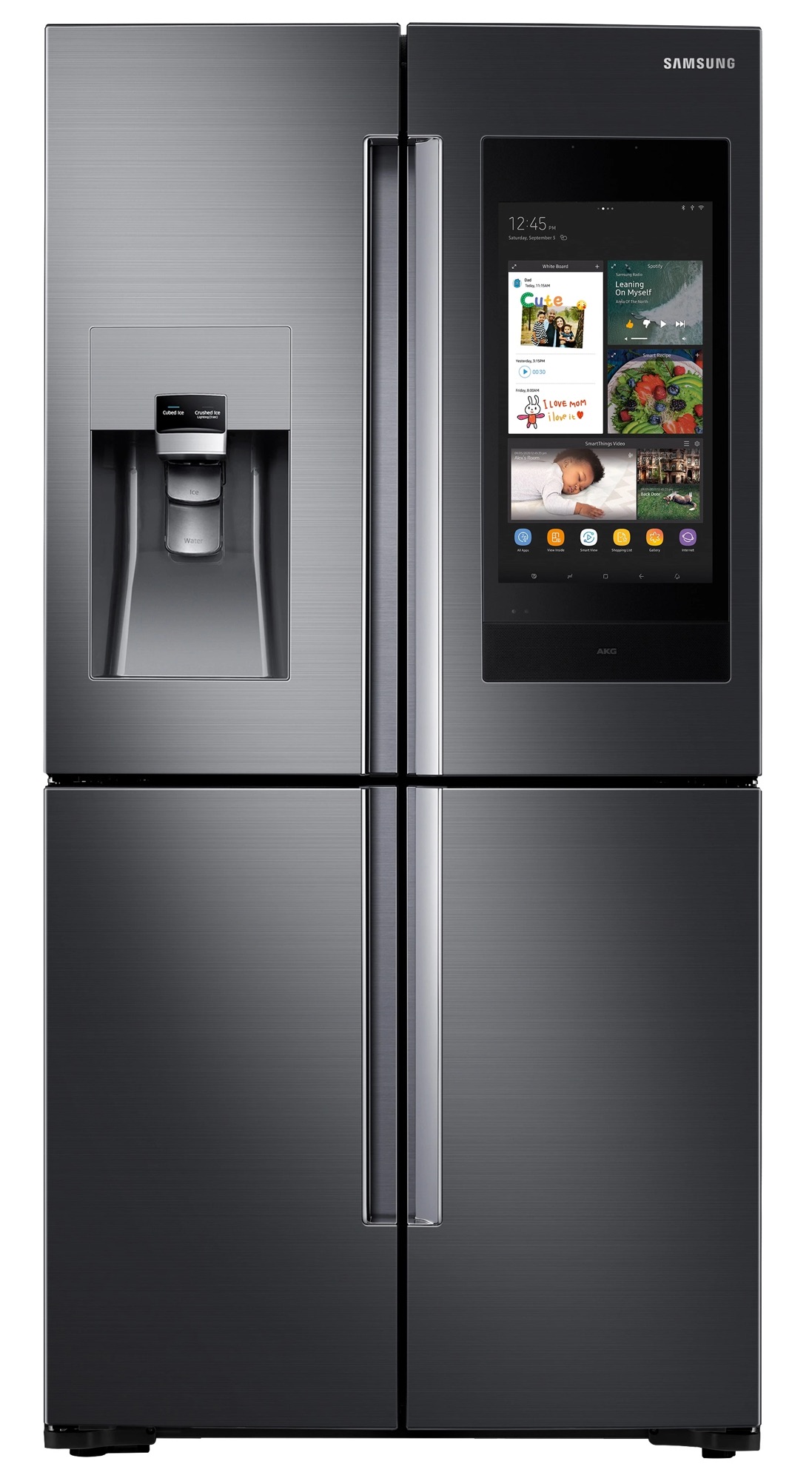
San Antonio summers don’t play around. When the triple-digit heat hits and your Samsung refrigerator starts warming up, the panic is real. Melting ice cream, warm milk, and that low-grade dread that everything in the fridge is about to spoil—yeah, I’ve been on those service calls more times than I can count.
I’m Master Tech Scott with HomeWise Services, a Samsung Certified technician who’s fixed hundreds of refrigerators across the San Antonio area. Whether it’s a high-end Samsung Family Hub or a more basic model, the “not cooling” complaint is one of the most common issues I see. In this post I’ll walk you through the real causes, practical DIY checks you can do safely, maintenance habits that actually work in our climate, and clear signs it’s time to call a pro.
By the end you’ll know exactly what to try first—and when to stop and pick up the phone.
Why Samsung Refrigerators Struggle in San Antonio Heat
Samsung fridges are solid machines, but our local conditions expose weak points. High ambient temperatures force the compressor and condenser to work harder. Add in dusty attics, garages, or tight kitchen spaces with poor airflow, and cooling performance drops fast.
Common culprits I see on San Antonio jobs:
- Dirty or blocked condenser coils (especially on bottom-mounted models)
- Failed evaporator fan or condenser fan motor
- Faulty temperature sensors or control board issues
- Low refrigerant from a slow leak (more common than people think)
- Door seal problems that let humid Texas air in
- Frost buildup on the evaporator coil from a bad defrost system
Other brands like Whirlpool, LG, and GE run into similar heat-related problems, but Samsung’s digital inverter compressors and specific sensor setups create their own error patterns. If your display shows codes like 5E, SE, or OF OF, or if the fridge side is warm while the freezer is still cold, keep reading.
Step-by-Step Troubleshooting: What You Can Safely Check Yourself
Safety first: Unplug the refrigerator before removing any panels or reaching near fans and coils. If you’re not comfortable with basic tools, skip to the “When to Call a Pro” section.
1. Confirm the Basics
- Is the unit plugged in and the outlet working? Test the outlet with another appliance.
- Check that the temperature settings haven’t been accidentally changed. Fridge should be around 37°F, freezer 0°F.
- Make sure doors close fully and seals aren’t damaged or dirty. A dollar-bill test works: close the door on a bill—if it slides out easily, the gasket needs attention.
2. Clean the Condenser Coils
This is the #1 DIY fix that solves cooling issues in our dusty climate.
- Unplug the fridge.
- Locate the coils (usually at the bottom front behind a kick plate, or on the back).
- Use a coil brush or vacuum with a soft brush attachment to remove dust, pet hair, and debris.
- For bottom-mounted coils, pull the fridge out carefully and clean thoroughly.
- Plug it back in and give it 24 hours to stabilize.
Pro tip: In San Antonio, clean coils every 3–4 months during peak summer. Once a year isn’t enough here.
3. Check the Fans
- Open the freezer and listen for the evaporator fan. If it’s silent or making grinding noises while the compressor is running, the fan may have failed.
- Feel for air movement at the condenser (usually near the bottom or back). No airflow means a bad condenser fan motor.
4. Look for Frost Patterns
Excessive frost on the back wall of the freezer often points to a defrost system failure (heater, thermostat, or control board). Don’t chip the ice—let it thaw naturally if possible.
5. Reset the Control Board
Some Samsung models respond to a hard reset: unplug for 5–10 minutes, then plug back in. This can clear temporary sensor glitches.
If none of these restore proper cooling within 24 hours, stop. Continuing to run a struggling unit can damage the compressor.
Maintenance Tips That Actually Work in Texas Heat
Prevention beats repair every time. Here’s what I recommend to my local customers:
- Keep 2–3 inches of clearance around the fridge for airflow.
- Avoid overloading the refrigerator—cold air needs to circulate.
- Replace water filters on schedule (clogged filters can affect some cooling-related systems on ice-maker models).
- Wipe door gaskets monthly with mild soap and water.
- Consider a surge protector designed for appliances. San Antonio power fluctuations are no joke.
- If your fridge is in a garage or non-climate-controlled space, monitor ambient temperatures. Most residential units struggle above 100°F ambient.
These simple habits dramatically reduce the chance of a mid-summer breakdown.
When to Call a Professional (Red Flags)
Call for service right away if you notice:
- The compressor runs constantly but the fridge stays warm
- Burning smells or unusual electrical noises
- Error codes that return after a reset
- Water leaking inside or underneath the unit
- The freezer is cold but the fresh food section is warm (or vice versa)
- You’ve already cleaned the coils and checked the fans with no improvement
Refrigerant leaks, sealed-system repairs, and control board diagnostics require EPA certification and specialized tools. Attempting these yourself can void warranties and create safety hazards.
Real San Antonio Case Study
Last July I got a call from a homeowner in the Stone Oak area. Their Samsung French-door refrigerator had been “not cooling” for three days. They had already tried the usual YouTube fixes. When I arrived, the condenser coils were packed with pet hair and dust, the condenser fan was barely turning, and the unit was fighting 102°F ambient temperatures.
After a thorough coil cleaning, fan motor replacement, and system check, the temperatures dropped back into range within hours. Total cost was far less than a new refrigerator—and the homeowner avoided throwing out hundreds of dollars in groceries. This kind of combined dirt + heat stress is extremely common here.
Peace of Mind with Liberty Home Guard
Even the best-maintained appliances eventually need repairs. That’s why many of my customers pair their service with a home warranty from Liberty Home Guard. As their preferred local service provider in the San Antonio area, I see firsthand how a solid warranty turns an expensive surprise repair into a simple service call. It covers a wide range of appliance failures and gives you one less thing to worry about when the Texas heat is already high enough.
If you already have a Liberty Home Guard plan, just mention it when you book—we handle the claims process smoothly.
Ready to Get Your Samsung Cooling Again?
Don’t let a warm refrigerator ruin your groceries or your weekend. Whether you need a quick diagnostic, a full repair, or just want a second opinion, HomeWise Services is here for San Antonio homeowners.
Book your service online: https://homewise-services-100453.square.site
Prefer quick advice first? You can also find me on JustAnswer for remote troubleshooting guidance.
Have a different Samsung error code or cooling issue? Drop it in the comments below—I read every one and often reply with targeted tips. And if this post helped you, share it with a neighbor who’s sweating over a warm fridge right now.
HomeWise Services also handles a full range of home services beyond appliance repair, so whether it’s another appliance, a plumbing issue, or something else around the house, we’ve got you covered.
Stay cool out there,
Master Tech Scott | HomeWise Services – San Antonio’s Trusted Appliance Repair Expert
Leave a Reply